All products featured are independently chosen by us. However, SoundGuys may receive a commission on orders placed through its retail links. See our ethics statement.


As a content creator, the DJI Mic Mini 2S has everything I need
Aug 15, 2026 — 5:30 AM ET
DJI Mic Mini 2S


If you’re a content creator considering the DJI Mic 3, you should look at the DJI Mic Mini 2S instead. The DJI Mic Mini 2S has all the features a content creator would need while removing those more useful in a professional film environment. Removing those features also reduces the price, which is always nice. I’ll go through the features of the DJI Mic Mini 2S in this review to make sure you know you aren’t missing any features you need as a content creator.
This article was published on August 15, 2026, and this is the first version of the article. Updates will follow as the market changes.
What’s it like to use the DJI Mic Mini 2S?
The DJI Mini 2S is essentially the same as the DJI Mic Mini 2, except the 2S supports internal recording. The Mic Mini 2S has 14.5 GB of internal storage, allowing up to 28 hours of audio recording. Another difference is that the Mic Mini 2S receiver can connect to up to 4 transmitters, while the Mini 2 can connect to only 2. Other than that, they have practically the same features and mic quality. We’ll have audio samples in the audio section.
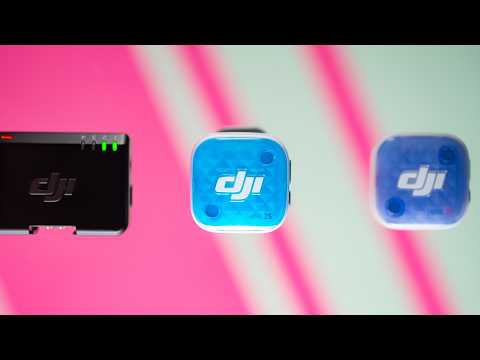
The DJI Mic Mini 2S comes in 2 variants: single-transmitter and dual-transmitter. For the most part, they come with the same accessories. A carry case to hold the charging hardshell, USB-C charge and data cable, the magnets and clip for each mic, plus a wind muff. Unfortunately, no extras if you happen to misplace them. What’s different between the two is the faceplates and transmitters.

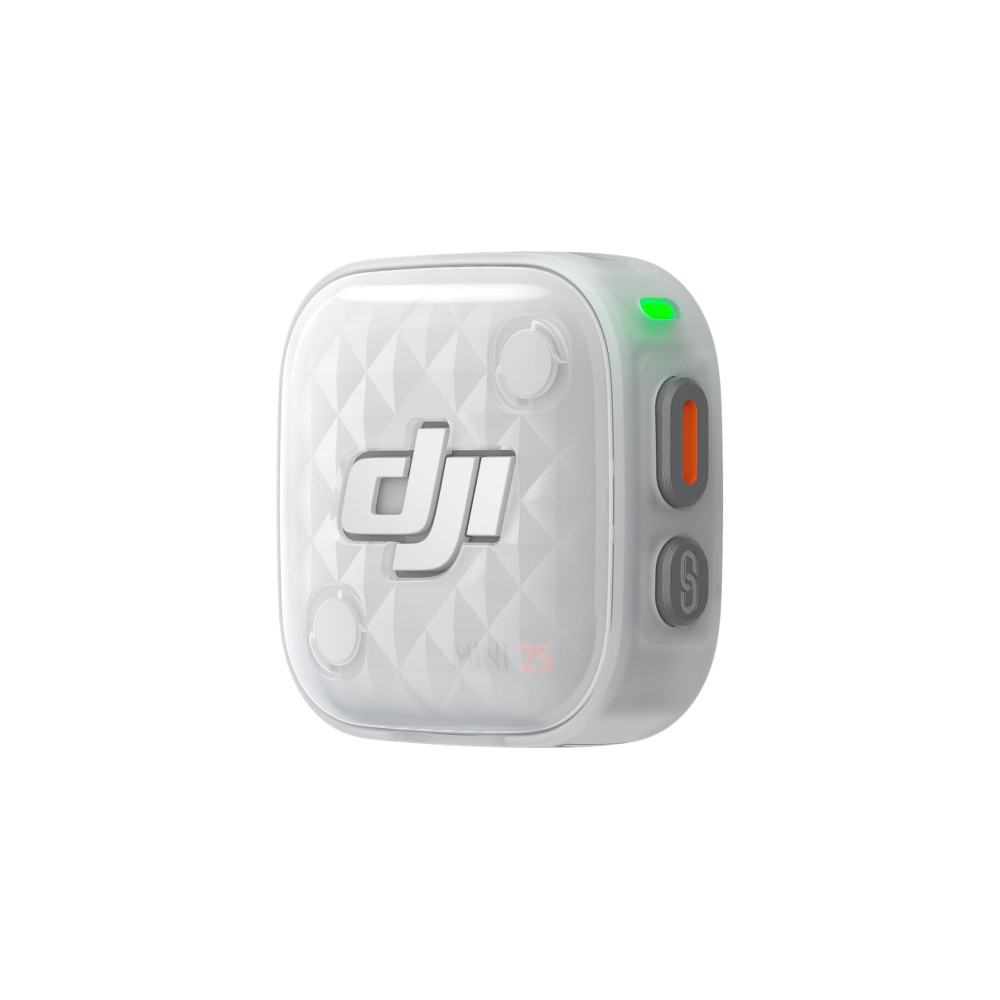
The faceplates are part of the new wave for the DJI Mic Mini 2 and 2S, letting you match the mic’s color to your shirt, use it as an accent color, or indicate which transmitter is which. Sadly, the single transmitter comes with a black-and-white faceplate, while the set of 2 comes with the entire rainbow.
Aside from its size and lack of accessories, the case for the single-transmitter version only holds the USB-C transmitter and the magnet. So you’re completely reliant on the carry case to hold the wind muff and cables. DJI expects the single-transmitter version to be for smartphone-based content creators, as no other version or space includes a 3.5mm connection. I recommend getting the full pack if you can afford it, since it’s almost double the price, going from $108 to $191.

Going to the two-transmitter version, I’m still able to connect to a smartphone via the USB-C adaptor, and there’s even space for the wind muffs and the smaller USB-C mobile receiver. However, the two-transmitter version doesn’t come with a USB-C receiver, though you can purchase one separately.
The combination of not being able to bring everything in the hardshell charging case and the lack of a 3.5mm output is why I recommend the two-transmitter version over the single-transmitter version, even if you’re a solo creator. I say that because it’s easier to pare down instead of move up. It also doesn’t hurt to have a spare and more flexibility. Especially if you’re thinking of moving into the film industry or documentary work.
How do you control the DJI Mic Mini 2S?

The DJI Mimo app mostly controls the DJI Mic Mini 2S. In the app, you can adjust options such as the gain, low-cut filter, adaptive gain control, enable 32-bit float, vibration, mic LED, loop recording, and even start recording. My only issue would be the advertisements and the store on the home page. However, if you don’t like to use the app, there are some on-board controls for convenience.
The receiver has a knurled on-board gain dial. The adjustments are ±6 dB and ±12 dB. Moving between the options creates an audible click and provides a tactile feel. There’s also a link button to pair another transmitter.

On the mobile receiver, you can’t adjust the gain, but it has a switch to toggle between noise reduction modes. You can toggle between off, basic, and strong noise reduction without entering the app. The mobile receiver also retains a link button to pair with another transmitter.
As for the transmitters themselves, there are only 2 buttons. One to start recording, and the link button. Despite having only 2 buttons, you can still toggle through the noise reduction modes by quickly double-tapping the record button.
How does the DJI Mic Mini 2S connect?

There are a few connection options for the DJI Mic Mini 2S: USB-C mobile receiver, a regular receiver with a 3.5mm jack, and a built-in USB-C adapter.
The mobile receiver does have a few caveats compared to the regular receiver. The mobile receiver can connect to up to 2 transmitters, while the regular receiver can connect to up to 4. Because the mobile receiver doesn’t have a 3.5mm port, it can’t be used with digital cameras.
The regular receiver from the two-transmitter kit is versatile. You can connect via the 3.5mm output, and it includes a USB-C adapter. What’s not included but available as an extra purchase is the camera adapter. The camera adapter lets you use the DJI Mic Mini 2S directly on the hotshoe mount of a Sony digital camera through the USB-C connection.

If you don’t want any weird connectors or adapters, you can connect directly to a DJI camera. DJI cameras such as the Pocket 4 and Osmo Action 6 can receive a transmission from the DJI Mic Mini 2S without having extra add-ons. However, you’ll have to pair it manually.
The DJI Mic Mini 2S is rated for 10 hours for the receiver and 11 hours for the transmitter. The mobile receiver does not have any batteries as it draws power from the USB-C port it’s connected to.
How does the DJI Mic Mini 2S sound?
The default sound of the DJI Mic Mini 2S is great, in my opinion, but there’s more to it than that. There are a few ways you can change the sound of the DJI Mic Mini 2S: low-cut filter, adaptive gain control, Noise reduction, and voice tone settings.
Adaptive gain control has two options: Clipping control and loudness balance. Clipping control is the default setting, which is a good choice as it reduces the volume as you get louder to avoid distortion. Sure, you can just record with 32-bit float to save distorted audio, but that means you’ll have to do all that work manually in post. Loudness balance is better for a podcast or talking-head setting, as it brings down loud sections and brings up quiet ones so you don’t fluctuate in volume.
Noise reduction
For Noise reduction, there are 2 options, and by default, the noise cancelation is turned off. Basic noise cancelation mostly cancels out the general humdrum of background noise, but you’ll still hear some sounds bleed through. Strong noise cancelation reduces noise as much as possible, which can sound unnatural, but is very useful if you’re in a terribly noisy environment where your voice almost becomes unintelligible. However, the strong noise cancelation setting is prone to distorting your voice in noisy environments. Here are some samples of how the mic sounds with noise cancelation in multiple environments:
Outdoor mic samples:
DJI Mic Mini 2S outdoors with default Settings:
DJI Mic Mini 2S outdoors with basic noise reduction:
DJI Mic Mini 2S outdoors with strong noise reduction:
Indoor mic samples:
DJI Mic Mini 2S indoors with default Settings:
DJI Mic Mini 2S indoors with basic noise reduction:
DJI Mic Mini 2S indoors with strong noise reduction:
Voice tone
If you’re looking to avoid post-process EQ, there’s a low-cut filter and voice tone modes. Personally, I would EQ in post-processing, but if you’re looking to check how the mic sounds with voice tone enabled, here are some mic samples:
Outdoor mic samples:
DJI Mic Mini 2S outdoors with default Settings:
DJI Mic Mini 2S outdoors with rich voice tone:
DJI Mic Mini 2S outdoors with bright voice tone:
Indoor mic samples:
DJI Mic Mini 2S indoors with default Settings:
DJI Mic Mini 2S indoors with rich voice tone:
DJI Mic Mini 2S indoors with bright voice tone:
Overall, the sound of the DJI Mic Mini 2s is great and is likely to fit most people, even at default settings. I would suggest keeping the noise reduction to a basic level, as it feels a little more natural to hear some of the sounds from your environment. As for EQ or Voice tone, for those with a bassy voice, choose the bright voice tone; for those with a nasal or bright voice, choose the rich voice tone. Of course, if you hold the microphone to your mouth like you would a regular microphone, it will sound much better, as it will pick up less of the sound coming from your chest.
How does the DJI Mic Mini 2S sound to you?
Should you buy the DJI Mic Mini 2S?
Overall, I feel like the DJI Mic Mini 2S is the ideal content-creator version of the DJI Mic 3, without pro features such as dual-channel processed and unprocessed audio recording, timecode, and the receiver’s screen. These are features I’m willing to give up for a lower price point. The DJI Mic Mini 2S keeps the 32-bit Float onboard recording, the size, and Noise cancellation with no extra fluff.
The only real downside is that the app is a pain to get used to and has advertisements as the first thing you see.
What should you get instead of the DJI Mic Mini 2S?
Of course, if you do want to save even more money, you can go with the regular DJI Mic Mini 2. Unfortunately, you lose internal recording, and the connection is limited to 2 transmitters instead of 4 on the Mic Mini 2S. For the 2-transmitter versions, the Mic Mini 2S costs $191, while the regular DJI Mic Mini 2 costs $99, so you’re saving about $100. However, don’t be tempted, as the internal recording will save you if the signal drops out for any reason. Instead, if you’re looking for a full kit with the features you’d normally use in the film industry, try the DJI Mic 2. Unlike the DJI Mic 3, it has a mic jack and doesn’t lose many features.

Thank you for being part of our community. Read our Comment Policy before posting.