All products featured are independently chosen by us. However, SoundGuys may receive a commission on orders placed through its retail links. See our ethics statement.
Sony's WH-1000XM6 update adds a feature gamers have been waiting for
Jul 1, 2026 — 1:28 AM ET


- Sony is rolling out firmware version 3.1.5 for the WH-1000XM6 headphones.
- The update adds support for the Gaming Audio Profile (GMAP), a Bluetooth feature designed to reduce audio delay while gaming.
- It also brings general stability and performance improvements.
Sony is rolling out a fresh firmware update for the Sony WH-1000XM6.
Firmware version 3.1.5 adds support for the Gaming Audio Profile (GMAP), alongside the usual bug fixes and performance improvements. While the changelog is fairly short, GMAP is a meaningful Bluetooth feature designed to reduce audio delays and improve voice chats while gaming.
What’s new in the WH-1000XM6 3.1.5 update?
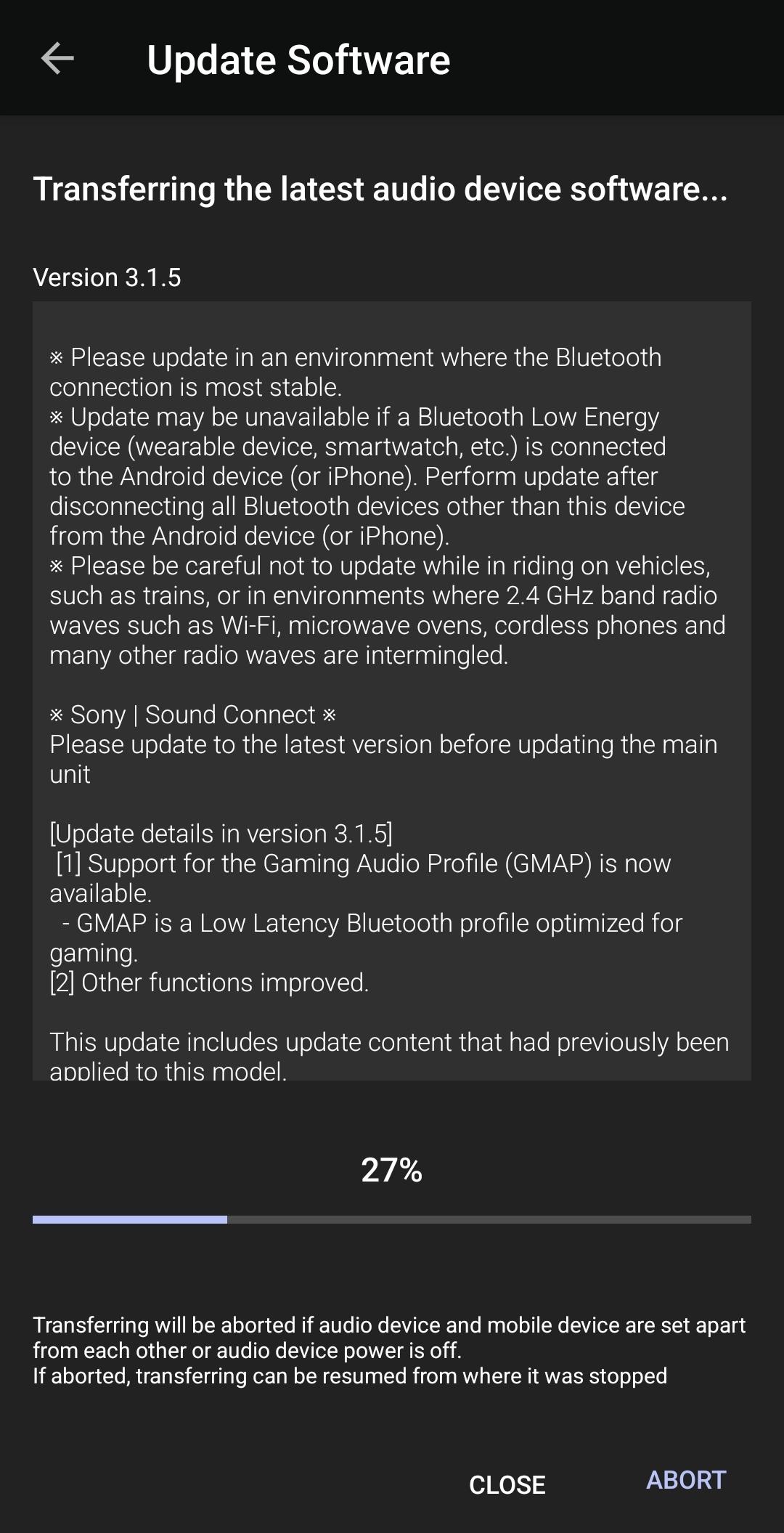
According to Sony’s release notes, the latest firmware includes the following updates:
- Support for the Gaming Audio Profile (GMAP).
- General function and stability improvements.
- Additional updates that Sony says were previously applied to the headphones.
Sony recommends installing the update through the latest version of the Sony Sound Connect app. The company also advises disconnecting other Bluetooth accessories, such as smartwatches or fitness trackers, during the update process to avoid interruptions. It also suggests updating over a stable Wi-Fi connection and avoiding places with heavy 2.4GHz interference.
What is GMAP?
GMAP is short for Gaming Audio Profile. The Bluetooth feature was introduced in 2024 and is specifically designed for gaming.
The biggest problem with standard Bluetooth audio is latency, a.k.a, the small delay between what’s happening on screen and when you hear it through your headphones. While that delay isn’t very noticeable while listening to music, it can become quite frustrating while gaming.
GMAP aims to reduce that delay by using a Bluetooth profile optimized for low-latency audio. This means that gaming sounds like footsteps, gunfire, or button presses line up more closely with the action on screen.
Moreover, GMAP also enables bidirectional voice chat, allowing players to hear game audio while using the microphone at the same time.
That said, you’ll only see the full benefit of GMAP if the device you’re gaming on also supports it. If both your headphones and the source device or Bluetooth adapter are compatible, the feature should automatically provide a lower-latency audio connection.
Thank you for being part of our community. Read our Comment Policy before posting.