All products featured are independently chosen by us. However, SoundGuys may receive a commission on orders placed through its retail links. See our ethics statement.
I tried the Sony WH-1000XM6's new gaming feature, and at least half of it works
Jul 5, 2026 — 5:00 AM ET


Sony’s latest WH-1000XM6 firmware quietly added something headphones like this rarely get: a proper gaming feature. GMAP — the Gaming Audio Profile — is part of the newer Bluetooth LE Audio standard, and it promises two things gamers like me actually care about: lower latency, so what you hear lines up with what’s on screen, and the ability to use the mic without your game audio turning to mush. Sounds great on paper. So I updated my XM6 (which took a painfully slow 40 minutes to download) and spent some time gaming on it to find out what it delivers and where you can actually use it, which, to my surprise, was nowhere.
LE Audio had noticeably lower latency
Here’s the wrinkle I ran into: GMAP isn’t a mode you switch on. It’s a profile that’s supposed to negotiate automatically when both your headphones and your source device support it, invisibly, with no confirmation anywhere. What I was able to do was enable the LE Audio connection it rides on — and that took not one toggle but two: one in my Samsung Galaxy S24 Ultra’s Bluetooth settings, and another under Bluetooth Connection Quality in the Sound Connect app, where Sony has quietly slapped a “Beta” tag on its own low-latency mode. Then came re-pairing the headphones and clicking through a warning I’ll come back to shortly.
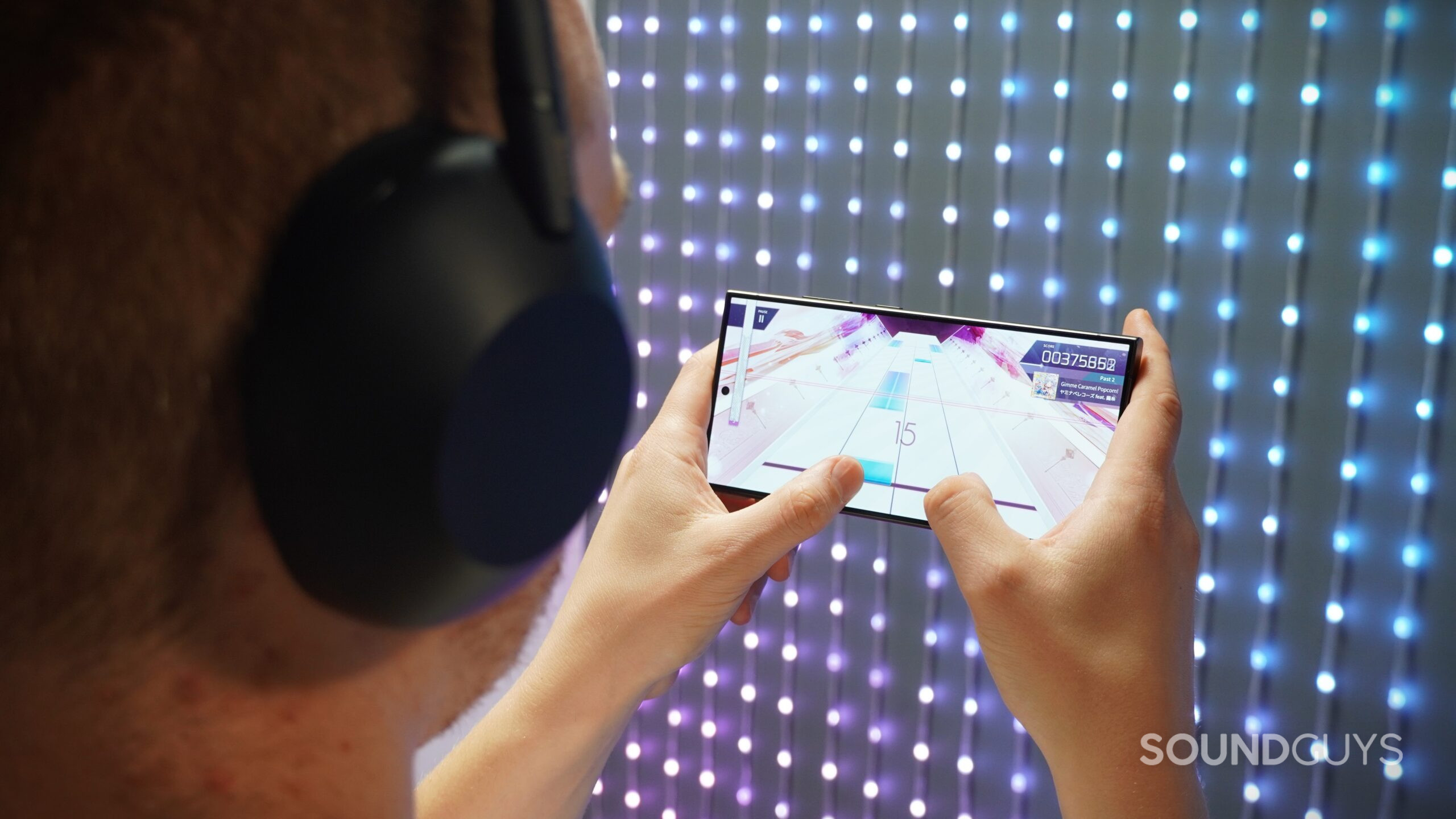
Once connected, the improvement was immediate. I loaded up Arcaea — a rhythm game where you’re tapping and tracing notes in time with the music, and where even a small audio delay throws off your timing on every note. Over standard Bluetooth, that lag is exactly why I’d never use wireless headphones for a game like this; over LE Audio, my taps landed where the music said they should.
In PUBG Mobile, voice chat held up too — normally, activating a mic over Bluetooth drops everything into a low-quality mode that makes your game sound like a phone call, but here the game audio stayed intact. Personally, I still prefer a wired connection for zero latency, but unfortunately, the XM6 doesn’t support audio over USB-C, so plugging into your phone isn’t an option. For mobile play, LE Audio at least isn’t a terrible alternative.
Now, as for that warning message: switching to LE Audio means trading off a ton of other features. While it’s active, you lose LDAC (Sony’s Hi-Res Bluetooth codec), Spatial Sound, and head tracking, the voice assistant, Quick Access, and Auto Switch between devices. Because of that, you’ll want to treat LE Audio as a mode you toggle for game sessions, not a constant setting.
As for GMAP itself — the actual headline feature — right now, as far as I can tell, nobody can use it. It only works if the device on the other end supports it too, and that list is functionally empty. Windows 11 supports LE Audio, but user testing shows it connects to the XM6 using a different profile, so mic use still tanks your audio quality. No phone maker confirms GMAP support, and there’s no way to check. Even the specialist Bluetooth dongles built for LE Audio are striking out: early adopters report the FlooGoo FMA120 doesn’t work with the XM6’s GMAP yet, and Creative’s BT-W6 won’t connect to the XM6 in LE Audio mode at all. I even tried using the Questyle QCC Dongle Pro, a $99 LE Audio transmitter. The XM6 paired to it over LDAC, so the new low-latency connection never entered the picture, and unsurprisingly, gaming felt no different. Amusingly, Sound Connect displayed “LE Audio” and “LDAC” badges side by side while this was happening, which tells you everything about how clearly this ecosystem communicates what connection you’re actually on.
It seems GMAP support is still incredibly limited.
What about consoles, you ask? The Xbox and PlayStation 5 don’t support Bluetooth audio (yes, Sony’s flagship headphones can’t use Sony’s new gaming feature on Sony’s own console); the Switch 2 and Steam Deck have LE Audio-capable hardware that neither Nintendo nor Valve has enabled. That means GMAP is really a promise about the future, shipped today. When I get my hands on a device that verifiably supports it, I’ll test it and update this article.
All in all, I would say if you already own the WH-1000XM6 and play casual games on your phone, this update is a genuinely nice freebie — the LE Audio connection is worth trying for a session. I’d even go so far as to say that some games sound better here than on a dedicated headset: the XM6 is tuned for music first, so a great game soundtrack gets more out of these than it does from gaming headsets voiced for picking out footsteps. Still, nobody should buy the XM6 as a gaming headset, because Sony already sells better tools for that job at lower prices: the INZONE H9 II uses the same drivers as the XM6 and includes a low-latency wireless dongle that works on PC, PS5, and Switch, while the wired, open-back INZONE H6 Air skips the latency conversation entirely for $200. What’s frustrating to me is that the headphones I’d rather listen with don’t pair with anything I actually want to play video games with.


Thank you for being part of our community. Read our Comment Policy before posting.