All products featured are independently chosen by us. However, SoundGuys may receive a commission on orders placed through its retail links. See our ethics statement.


Maono PD200W review: A wireless podcasting microphone for creators
Feb 15, 2026 — 7:59 AM ET
Maono PD200W


With desktop microphones, you are typically connected to a desk with a cable. Whether it’s USB or XLR, you are typically wired in if you want the best sound quality. However, with the new PD200W, Maono has created a truly wireless solution for podcasters and other content creators. Not only that, it still retains both USB and XLR connections for when you want to plug into a professional setup. I tested the PD200W to see if it lives up to the hype.
This article was published on February 15, 2026, and this is the first version of the article. Updates will follow as the market changes.
The Maono PD200W is for those who are looking for a budget-friendly wireless and wired microphone for gaming, streaming, or podcasting.
What’s it like to use the Maono PD200W?

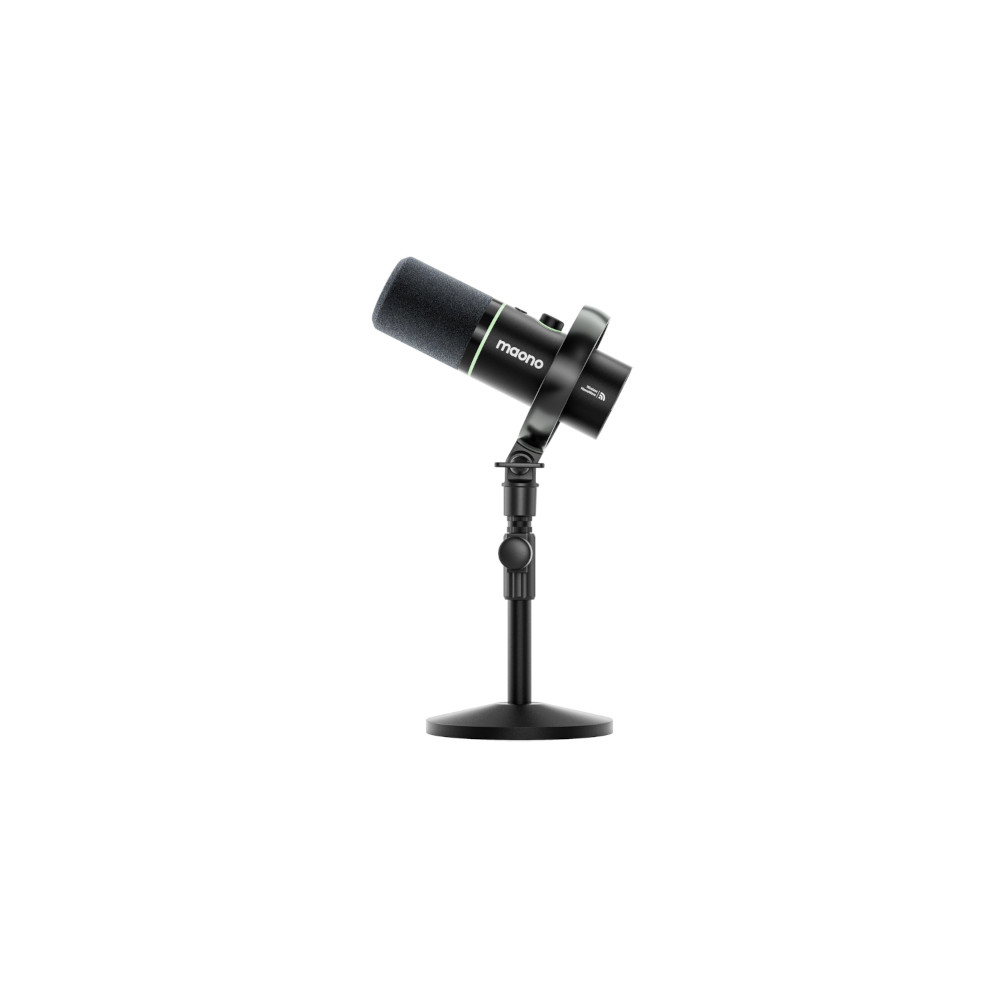
Despite the affordable price, the Maono PD200W is built like a pro studio microphone. The body of the microphone itself seems sturdy and made of metal, and the fuzzy pop filter is very soft to the touch. You can take it off easily to wash it. It sits right on top of the RGB ring, which is also used to indicate if it’s muted. The pre-installed shock mount has decent performance, even if it doesn’t quite feel as solid as the ones that come with more expensive studio microphones.
What does feel relatively premium is the included stand. The bottom plate has real heft to it, so you’re unlikely to tip the microphone over even if you’re clumsy. The neck of the stand is extendable, but not by much. It’s more than enough when on a desktop. To adjust the stand, it uses a tension knob. It’s mostly a set-and-forget option. The mount has a combination 5/8ths thread and 3/8ths thread. Once on the stand, the shock mount can also be adjusted easily with the knob on the side.
Since the Maono PD200W can be used as a wireless microphone, it has a built-in battery that can last a long time. The battery is rated for 60 hours of battery life with the RGB turned off. After using it consistently for three days with RGB on, it still hasn’t run out of battery once. That type of longevity is great for creators who want to take the microphone out on the road with them.
How do you control the Maono PD200W?

There are controls on the microphone itself. The button knob is used for volume control of the gain on the microphone or the volume of the headphone output. Pressing the knob switches between which volume you’re controlling. There’s a mute button that flashes red when moving into mute. Looking at the dongle, the transmitter indicator light also goes red, and then green when out of mute.
The desktop app has adjustable EQ so that you’ll be able to adjust the microphone to the sound of your voice. The Maono Link app has a 5-band EQ with adjustable high-pass and low-pass filters. There are some presets that you can use and a reverb option if you like the good old karaoke sound. You can also control the RGB lights from within the companion app.
How does the Maono PD200W connect?

The Maono PD200W shines in its connection versatility. You have the option to use the 2.4G wireless receiver, connect directly via USB-C, or use an XLR connection. In wireless mode, you can connect to two microphones simultaneously for Dual-track recording. This makes it an easy transition between a single and a dual podcast setup. When using the XLR connection, there is no need to use an interface that has 48v phantom power, which is extra convenient.
The built-in headphone output isn’t only for monitoring; it can also be used as a regular audio output. This means that if you bring the microphone away from your desk, you can still listen to audio from your computer. You have the choice to disable the computer output or the microphone monitoring individually through the Maono Link app.
No, the Maono PD200W does not require external power as a dynamic microphone. However, it does require charging for use with the wireless receiver.
How does the Maono PD200W sound?
The Maono PD200W is a top-address 30mm dynamic microphone with a cardioid pickup. If you’re curious about different types of microphone technology, make sure to take a look at our comparison of microphone types and microphone pickup patterns. In short, dynamic microphones tend to be versatile, durable, and affordable, while a cardioid pickup pattern is ideal for recording the voice in a variety of environments. To deal with recording in a variety of environments, the PD200W has three levels of noise cancelling: slight, moderate, and aggressive. The app also includes a limiter and compressor to ensure you don’t clip. Check out the voice samples below to see how they sound with the different connectivity options and modes:
USB-C connection
1 foot away
1 foot away with aggressive noise cancelling enabled
6 feet away
6 feet away with aggressive noise cancelling enabled
Wireless Connection
1 foot away
1 foot away with aggressive noise cancelling enabled
6 feet away
6 feet away with aggressive noise cancelling enabled
XLR Connection
1 foot away
6 feet away
How does the Maono PD200W microphone sound?
What owners say
What verified owners say after living with them. Not part of the SoundGuys rating.
Own the MAONO PD200W Hybrid?
Tell other readers how they've held up. Sign-in needed to publish. Your answers feed the owner summary, and a photo of your pair earns the photo-verified tag.
Should you buy the Maono PD200W?

The Maono PD200W goes for $130, though you can often find it on sale for less than $100. If you’re starting out as a streamer or content creator, it’s a very flexible microphone that can grow with you as you build out different recording setups. If you are looking to record your voice in high-quality, while having the versatility to go wired or wireless, the Maono PD200W is an excellent option.
Maono PD200W review: FAQs
No, the Maono PD200W has a pre-installed pop filter
No it does not have a power switch, but it does have a power button. Holding the button on the bottom of the mic will turn the microphone off and on.
There is an included USB-C cable, however there is no XLR cable included with the Maono PD200W.
Conversation
Read what readers said or add your take.