All products featured are independently chosen by us. However, SoundGuys may receive a commission on orders placed through its retail links. See our ethics statement.


HyperX Cloud Alpha 2 Wireless review: An FPS gaming headset with insane battery life
Sep 22, 2026 — 4:58 PM ET
HyperX Cloud Alpha 2 Wireless


The first-generation HyperX Cloud Alpha Wireless was well-known for its insane 300 hours of battery life. Now, we’ve had a chance to check out its sequel, the HyperX Cloud Alpha 2 Wireless. While this headset has *only* 250 hours of promised battery life, it also comes with new upgrades, such as a wireless base station. HyperX says this is the first reprogrammable RGB Base Station on a wireless gaming headset. Not only is the base station a flashy addition with its RGB lighting, but it also acts as a controller and wireless dongle for the HyperX Cloud Alpha 2 Wireless. With these upgrades, is the HyperX Cloud Alpha 2 Wireless now the best gaming headset in the HyperX lineup? I tested it in real-world gaming, and we put the headset through our SoundGuys labs, to find out.
This article was published on September 22, 2026, and this is the first version of the article. Updates will follow as the market changes.
What’s it like to use the HyperX Cloud Alpha 2 Wireless?

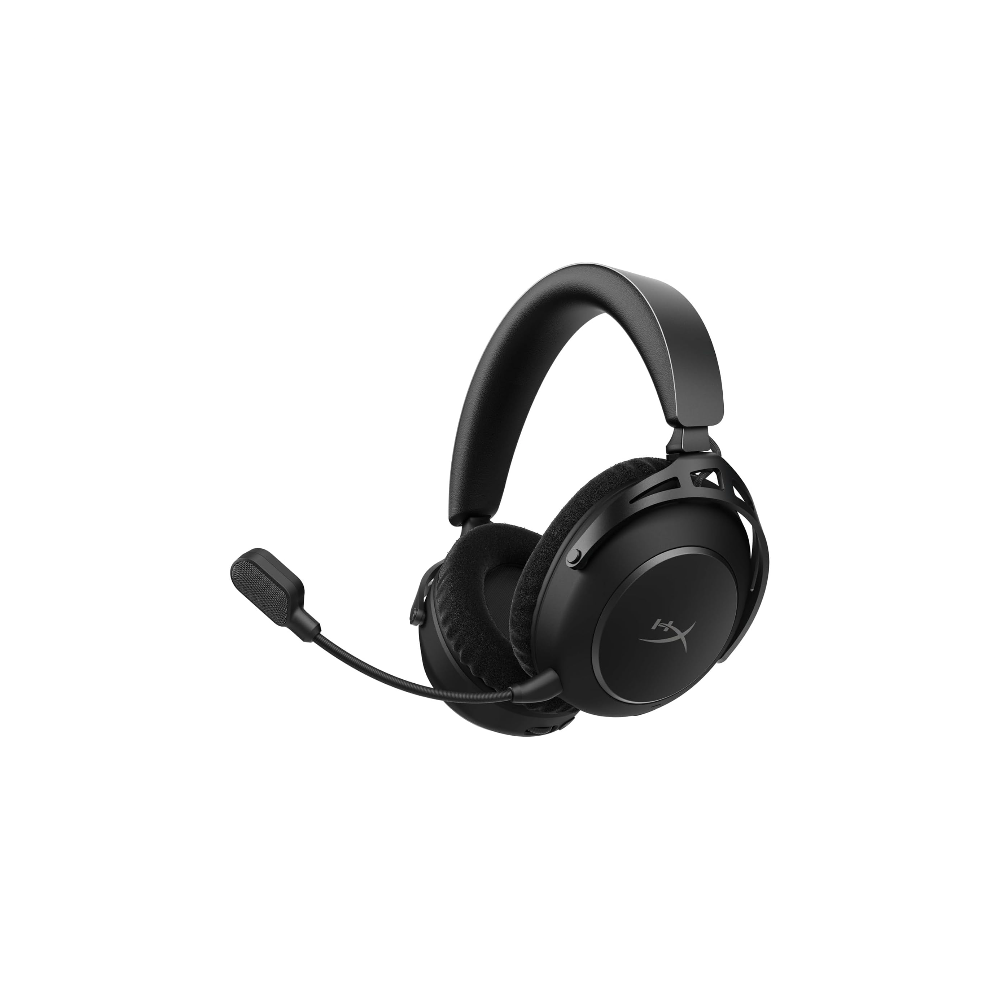
The HyperX Cloud Alpha 2 Wireless features a solid build made from a mix of plastic and metal. Most of the exterior is covered in metal, which gives the headset a premium look. The headset has several on-board controls. These include a volume scroll, a connection toggle, a playback button, a mic-mute button, and a power button.
For fit and comfort, you get an adjustable pleather headband with microfiber earpads. The stepped headband adjustment sliders accommodate large heads. When you wear the headset, the microfiber earpads feel plush. They stay comfortable and don’t become uncomfortably warm over time. I could wear the headset comfortably for over 8 hours.

The wireless base station has a solid plastic build. The base station has a large volume wheel with a touch-activated mic mute button in the center. Under the wheel are 6 bright LED buttons that change the wheel’s function. By default, the buttons let you adjust several settings. You can adjust mic gain, game/chat mix, mic monitoring, and EQ presets, mute audio, and control playback. On the left-hand side of the base station, you also get a connection switch. The switch routes audio through the 3.5 mm line-out instead of transmitting it wirelessly, making it easy to connect speakers.
Should you use the NGENUITY app for the HyperX Cloud Alpha 2 Wireless?

HyperX NGENUITY allows you to configure the buttons on the base station for full customization over your gaming setup. You can reassign the default base station actions to keyboard presses or macros. I reassigned infrequently used settings, such as mic gain, since I typically set them only once.
You can adjust the brightness of the RGB wheel, but not the buttons. If you’re like me and find the color lighting a bit distracting, one workaround is to set each button’s color to black.

The app also enables you to use HyperX’s spatial audio technology. This technology turns a 2.0 stereo signal into a virtual surround sound experience. You also get three sound presets: Music, Game, and Chat. I’ll dive deeper into how the headset sounds in the sound quality section below.
How do you connect the HyperX Cloud Alpha 2 Wireless?

You can connect the HyperX Cloud Alpha 2 via 2.4 GHz wireless connection using the base station, or via a standard Bluetooth connection. The HyperX Cloud Alpha 2 has Bluetooth 5.2 with standard codec support for SBC and AAC.
I didn’t notice any difference in sound quality between the wireless base station connection and the Bluetooth connection, aside from a barely noticeable latency when using Bluetooth compared to the seamless 2.4 GHz wireless connection.

The base station serves as the wireless connection point, so you have to use it if you want the benefits of low-latency wireless gaming. The base station connects via USB-C. You also get a 3.5mm line-in jack, which is useful for connecting older handheld consoles that lack USB-C.
The HyperX Cloud Alpha 2 can connect simultaneously via Bluetooth and 2.4 GHz wireless. This is great, as you won’t miss a call in the middle of a gaming session. When connected via the 3.5mm jack, the headset turns off to conserve battery life.
Here are the steps to put the HyperX Cloud Alpha 2 Wireless into pairing mode:
- With the headset turned on, ensure that it’s in Dual mode.
- Hold both the power and multifunction buttons for 3 seconds.
- Open Bluetooth options on your device and select the “HyperX Cloud Alpha 2 Wireless”.
How long does the HyperX Cloud Alpha 2 Wireless’s battery last?
The HyperX Cloud Alpha 2 Wireless has an incredibly long battery life of up to 250 hours on a 2.4 GHz connection. While this is a smidge less than the previous generation, it still far outperforms most wireless gaming headsets.
Even with both 2.4 GHz and Bluetooth connected, the headset can last up to 125 hours. This is more than enough to last a full month of normal use.
How well does the HyperX Cloud Alpha 2 Wireless attenuate noise?
There is no active noise canceling on the HyperX Cloud Alpha 2 Wireless, which is disappointing as we’re starting to see more gaming headsets around this price with ANC. You still get passive isolation that blocks out some ambient noise. I find that it blocks out some of the rumble of trains passing through the nearby station and dulls the screech of the brakes as they stop. However, if you have a relatively boisterous home, the passive isolation doesn’t muffle voices very well, so most remain intelligible. This is fine if you want to hear some gossip around you, but it is a distraction when you’re grinding to increase your rank. With audio playing through the headset, you have to turn the volume up considerably to drown out the outside noise if you are in a noisy environment. That said, this headset still reduces noise better than open back gaming headsets.
How does the HyperX Cloud Alpha 2 Wireless sound?
I find the HyperX Cloud Alpha 2 Wireless is well-tuned for competitive FPS games, with an accurate sound that doesn’t over-emphasize bass. If you play action games, and are looking for an exciting sound that amplifies bass, you might find the bass output a bit lacking here. On the other hand, competitive gamers will appreciate spatial width and depth.

Reviewer’s notes
Editor’s note: this review uses a hover-enabled glossary to describe sound quality based on a consensus vocabulary. You can read about it here.
Objective Measurements
Our testing shows that the frequency response of the HyperX Cloud Alpha 2’s default music preset tuning is very close to our SoundGuys Headphone Preference Curve. Note that our target curve was designed for music listening, not gaming, so we aren’t really looking for an exact match here, but it does provide a reference point for analyzing the bass, mids, and treble performance of the HyperX Cloud Alpha 2 Wireless.
In the treble, there’s an underemphasis at 3.5 kHz, which I find reduces the high-pitched whine of the aftermath of a flashbang in some FPS games. This underemphasis can also make some vocals sound a little farther away than expected. Also in the treble is a slight overemphasis in the 6 kHz region, which increases the strength of sibilant sounds such as cymbals and other high-pitched metal instruments.
Multi-Dimensional Audio Quality Scores (MDAQS)
Timbre (MOS-T) represents how faithfully the headset reproduces the frequency spectrum and temporal resolution (timing information).
Distortion (MOS-D) represents non-linearities and added noise: higher scores mean cleaner reproduction.
Immersiveness (MOS-I) represents perceived source width and positioning: how well virtual sound sources are defined in three-dimensional space.
See here for an explanation of MDAQS, how it works, and how it was developed.
MDAQS is used to evaluate sound quality when listening to music, not gaming, so don’t read too much into the scores here. That said, the low Timbre score might be indicative that some people won’t enjoy this headset for listening to music, and is likely a result of the dip around 3kHz. The Distortion and Immersiveness scores, on the other hand, are in line with what we expect to see from gaming headsets.
How good is the HyperX Cloud Alpha 2 Wireless’s microphone?
The HyperX Cloud Alpha 2 has a detachable boom mic that sounds more than acceptable, with a good signal-to-noise ratio. The microphone doesn’t seem to reject background noise as well in our tests as the HyperX CloudX Flight 2 Wireless, but it is still more than acceptable for understanding what voices are saying.
HyperX Cloud Alpha 2 Wireless microphone demo (Ideal conditions):
HyperX Cloud Alpha 2 Wireless microphone demo (Office conditions):
HyperX Cloud Alpha 2 Wireless microphone demo (Reverberant space):
HyperX Cloud Alpha 2 Wireless microphone demo (Street environment):
HyperX Cloud Alpha 2 Wireless microphone demo (Windy environment):
How does the microphone of the HyperX Cloud Alpha 2 wireless sound to you?
Should you buy the HyperX Cloud Alpha 2 Wireless?
The HyperX Cloud Alpha 2 Wireless is a solid headset for competitive FPS gaming, with good build quality and excellent battery life. However, at a high starting price, whether or not you choose to buy this headset will probably come down to how much value the base station provides to your setup. If you like the flexibility, customizable RGB look, and tactile controls that the base station can provide, then the HyperX Cloud Alpha 2 Wireless is right for you.
Thank you for being part of our community. Read our Comment Policy before posting.