All products featured are independently chosen by us. However, SoundGuys may receive a commission on orders placed through its retail links. See our ethics statement.
Headphone EQ Best Practices: Stop Guessing and Start Tuning
Jun 23, 2026 — 3:51 PM ET
Before a song makes it onto your playlist, it will have been mastered to optimize playback across as many devices as possible. Audio engineers know how to equalize (EQ), so the music will sound just fine in most scenarios. While not all playback systems are ideal, if you know what you’re doing, you can make your music shine on your gear with a few simple tweaks.


- on May 29th, 2023, for formatting
- on March 27th, 2025, to ensure the information is current and correct.
- on June 23, 2026, to split out more complex information into new articles.
What is an equalizer?
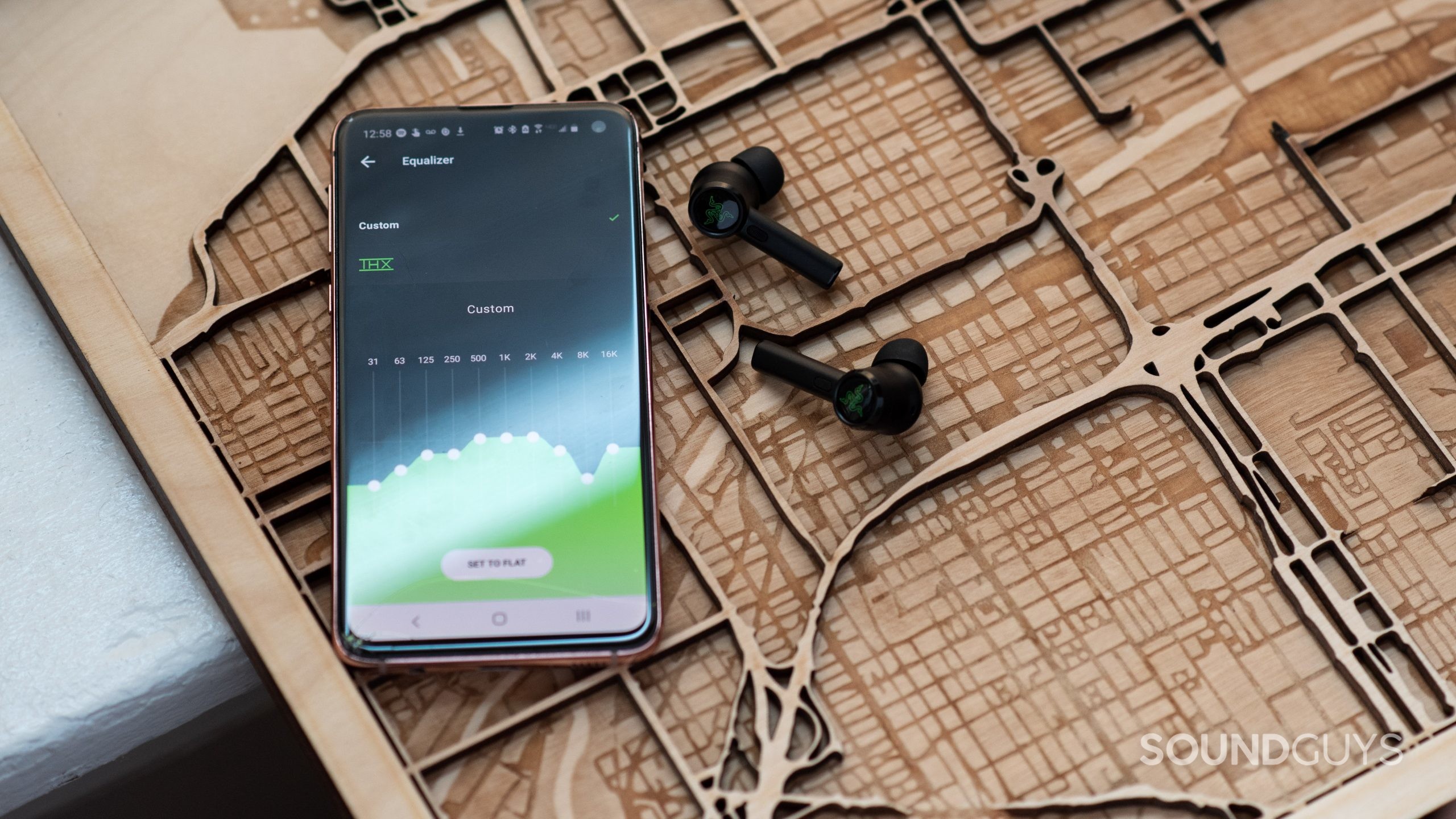
Before we get into the gritty details, it’s probably best to go over what an EQ is. EQ is an abbreviation of equalizer (or equalization) and is generally defined as the process of adjusting the relative levels of the different frequency bands of an audio signal. To EQ audio to your taste means you need to change the levels of the different frequencies so that when combined, they give you the tonal balance you’re looking for.
The bass and treble controls on car audio systems are basic EQ controls: each knob takes a set range of frequencies and allows the user to alter the relative level of each. Equalizers get more advanced once you dip your toe into more advanced consumer electronics and recording equipment. By adjusting these sliders or turning these knobs, you can control the output of a given frequency range, letting you tweak the sound coming from your equipment.
Why should you use an equalizer?
There are two main reasons why you should equalize your music, and they are not mutually exclusive.
- Preferences and your own body determine if you want to EQ, and how you should do it.
- The playback system also affects what “optimal” adjustments are. You might find your headphones or speakers have a quirk or deficiency that doesn’t sound quite right. If it’s not too serious, then chances are you can account for it when you EQ.
Keeping things in small increments at first will help you get your feet wet when making more aggressive changes later. Chances are good that you won’t need to tweak and adjust much once you’ve found your preferred settings. But learning to equalize headphones also has another benefit: keeping Gear Acquisition Syndrome (GAS) away.

Gear Acquisition Syndrome (GAS) refers to the wallet-busting feedback loop of:
- Listening to new gear on a high of endorphins and dopamine from a new purchase.
- High wanes, user believes the sound to be not quite as good as they originally believed.
- User looks for new product that should “perform better,” buys new product.
- Repeat ad nauseam.
You might be riding a high of getting a shiny new gadget at first, and your brain will associate the positive feeling with the sound it produces. But when that fades, it’s not the sound quality that’s changed: it’s your brain chemistry. By seeking better sound through equalization rather than buying new gear all the time, you can not only save yourself a bunch of money — but also really dial in the results you want without having to worry about poisoning your own perceptions.
You don’t want to be locked in an endless chase for sound quality, do you? You can make far bigger gains in your setup by getting a set of headphones that fit you, and provided it’s well-tuned already, adjusting the sound to you. Don’t go out and buy a ton of headphones in a long string of failed attempts to find your “end game” cans. The grass is greener where you water it!
How do I EQ my music?
Assuming you’re familiar with the pieces of an equalizer, it’s time to put it all together. You will need an equalizer program before continuing. The process is usually only two, sometimes three steps long:
- Get headphones that measure close to a target curve, or adjust headphones to perform this way.
- Add listener adjustments to taste.
- Correct remaining issues.
Trust your ears. Things sound a bit different to each person, so everything from here on out, is just a guideline to help find what works best for you. It’s entirely possible that your headphones will sound better to you without any EQ at all. Keep plugging away and don’t be afraid to delete or revert changes you’ve made if they don’t improve your experience.

Applications like Equalizer APO (with the GUI “Peace” or “Aqua”) are intimidating, but powerful. Unfortunately, there aren’t a ton of great options for this task that are both free and a polished product. However, there are other options like a dedicated DAC/amp like the Qudelix 5K, options from miniDSP, or WiiM that can perform these adjustments. There are also streaming products like Roon or PlexAmp that include an equalizer in with another service like local music hosting.
Additionally, your headphones need to fit you properly. If they don’t, there will be certain issues that you can’t EQ away. For example, if you have a broken seal, boosting bass will be an exercise in futility because the “leak” will cause perceived bass levels to drop significantly.
1. Start with headphones that meet (or adjust them to) a preference curve
A note on preamp gain:
If you see a setting for “preamp gain,” be sure to bring that setting down by the same amount as your largest boost. For example, suppose you applied gain by 3dB at 200Hz. In that case, you’re going to want to bring the overall preamp gain to -3dB to avoid clipping, distortion, or other annoying consequences of pushing a signal too much. Don’t be surprised when the overall level of your headphones is quieter for changing this setting — that’s normal. Just turn up the volume and you’ll be fine.
The easiest headphones to equalize will have a response that closely matches a validated preference (or “target”) curve. As the fewer objectionable features of a headphones’ sound that you have to address, the less you’ll have to do. It’s not the end of the world if your chosen headphones don’t conform perfectly to the Harman Target or SoundGuys Headphone Preference Curve; no headphones will be perfect. Instead, try to find models that only have a few problem areas like peaks or broad ranges of over-emphasis. But let’s say you don’t have these mythical perfect target-conforming headphones. In that likelihood, you’ll need to “correct” your headphones to meet an established target for Step 1.

For our purposes, you don’t need to know every little detail about settings you’d find in a parametric EQ even if you’re using one, as you’ll likely be using other people’s filter presets to achieve your desired curve. You could use our measurements as a guide, or use sites like AutoEQ.app, and Squig.link to have basic filters made to order for you so you don’t have to worry about making complicated adjustments. If you’re entering in settings manually, be sure to follow the filter tables exactly, especially the filter type. Using the wrong settings — especially gain — will cause your headphones to sound worse than they should. Be sure to double-check your work.
Some of these sites will even export a text file that you can then upload to your equalizer’s settings to make these adjustments automatically. The future doesn’t completely suck, provided you’ve got passionate nerds on your side! After you’ve applied the suggested filters in your equalizer app, it’s time for the next step.
2. Add your preference adjustments on top
Because everyone has slightly different anatomy and preferences, the job of equalization isn’t done until everything sounds right to you. That means using a parametric equalizer program on your computer or smartphone with basic filters to adjust sound to your tastes. Assuming that you’ve got headphones that either meet a preference curve or have been corrected to one, you should not have any egregious peaks in your sound. If that’s the case, then you can add very simple shelf filters to taste. There are several ways to do this.
The simple method:
Either by listening to a song you know backwards and forwards, or by using a tone generator, add a low shelf filter (possibly labeled “LS” in your program of choice) at 125Hz, and adjust up and down slowly to meet your preferences. Should your music sound dull, repeat the process with a high shelf filter (potentially labeled “HS”) centered somewhere between 5 and 8kHz. Use an extremely gentle hand, and keep adjustments within +/- 5dB. Pay very close attention to what you like and don’t like. Eventually, you’ll achieve results that are superior to your starting point. If you don’t, there’s no shame in simply reverting your settings and either trying again, or leaving it as-is.
The complicated method:
As much as I’d like to outline a single bulletproof method here, there are several strategies to get the results you want. I’m particularly fond of Owliophile‘s tool, but you could also attempt to add filters by ear, use your headphones’ app if it has a hearing test, or even use another app to assist you. I don’t suggest trying to do this completely by ear as a novice because it’s really easy to screw up this way — but the eventual result needs to sound good to you. Because tuning to a curve in this article’s previous steps will change the signal, keep a light hand here.

However, if you’ve made the above filters and you still find that bass is lacking, a common adjustment is the bass shelf. Pick this filter, then input a center frequency of 90-120Hz and then adjust the level between -5 and +5 dB until your music sounds better than it did. Experiment as you see fit, just be aware that you shouldn’t add multiple bass shelves. If your music still sounds off, repeat this process with a high shelf filter between 5 and 8kHz.
If you’re dead-set on tuning by ear, do yourself a favor and learn how to correctly identify frequency bands yourself. You can also use Sound Gym to familiarize yourself with your own hearing. Getting a better handle on how your head and headphones perform together will allow you to learn more about how to get the best results available.
3. Fix remaining issues
If there’s a glaring flaw still left over: it’s time to find the parts of the track that bother your ears, then, cut them. Try to remember that the music itself is mastered in the way it should be: you’re trying to eliminate the unwanted stuff introduced by your headphones or speakers. Make sure the EQ program you’re using has a graphic representation of the frequency response of the output so you can compare that line to the measurements we provide in our headphone reviews. Use our charts as a general guideline.
With a high Q (narrow) peak filter, sweep through the approximate ranges where the annoying sounds lie until you find a particularly harsh or overly-loud element. Then, you can cut that part down after lowering the Q number slightly. Start with a small cut and increase until the offending range no longer sounds out of whack with the rest of your music. Be sure to test this new filter with several songs so that you don’t unintentionally make all your tunes sound off in order to save one track. Repeat this process as necessary.
With any luck, tuning your headphones to a target curve in the first step saved you from having to do this. But it’s always possible that something got missed along the way.
You may never feel “done”
If you’ve achieved better results through equalization, congratulations! But it’s important to note that “best” results are not “perfect all the time” results. The weak link in any signal chain when it comes to audio is most often the human listening. EQ can do a lot — but it can’t fix a bad fit or bad mixing job.

For example:
- Not all recordings are as well-mastered as others. Sometimes flaws become more noticeable with better product tuning.
- A certain tuning will not always be as well-preferred from song to song.
- Hydration, stress, age, ear infections, your mood and other issues can affect your hearing from day-to-day.
- Outside noise may make your music sound “worse” by drowning out parts of your tunes.
If your self-derived equalizer preset all of a sudden sounds off to you, there may be nothing wrong; it could just be an off day. You also may be aging, or something else is affecting what you hear. Try not to worry so much if this happens to you, but there are things you can do to tie issues with your tuning to other factors. Go to the doctor’s for regularly-scheduled checkups and vitals checks, stay hydrated, get enough sleep, routinely set aside time to find new music — but the most important part is to fight the audiophile’s terminal affliction: Gear Acquisition Syndrome.
Thank you for being part of our community. Read our Comment Policy before posting.