All products featured are independently chosen by us. However, SoundGuys may receive a commission on orders placed through its retail links. See our ethics statement.

Samsung Galaxy Buds 4 review: AirPods envy, AirPods problems
Mar 13, 2026 — 6:00 AM ET
Samsung Galaxy Buds4


Samsung’s Galaxy Buds 4 double down on the stylistic changeup introduced with the previous Galaxy Buds3: unsealed, stem-style earbuds that drew immediate comparisons to Apple’s AirPods. The Buds 4 iterate on that formula with a redesigned stem, a return to the flat clamshell case, and a handful of new Galaxy AI features. At $179, they keep the same price and go up against the AirPods 4 directly.
Because the core design hasn’t changed, neither has the fundamental tradeoff: if you don’t mind an unsealed fit, there’s a capable pair of earbuds here with strong ecosystem integration for Samsung phone owners. If you do, the Buds 4 Pro at $249 is the better buy — or you could wait for the highly likely Buds 4 FE to get sealed eartips for less.
The Samsung Galaxy Buds 4 are for Samsung phone owners who want the convenience of an open, unsealed fit over the isolation of a sealed earbud. If you already know AirPods-style earbuds work for your ears and you’re looking for a well-featured alternative with deep Galaxy ecosystem integration, these are worth considering. If you’ve never tried an unsealed earbud before, or if you’ve tried AirPods and found them unreliable, look elsewhere.
This article was published on March 13, 2026, and this is the first version of the article. Updates will follow as the market changes.
What’s it like to use the Samsung Galaxy Buds 4?

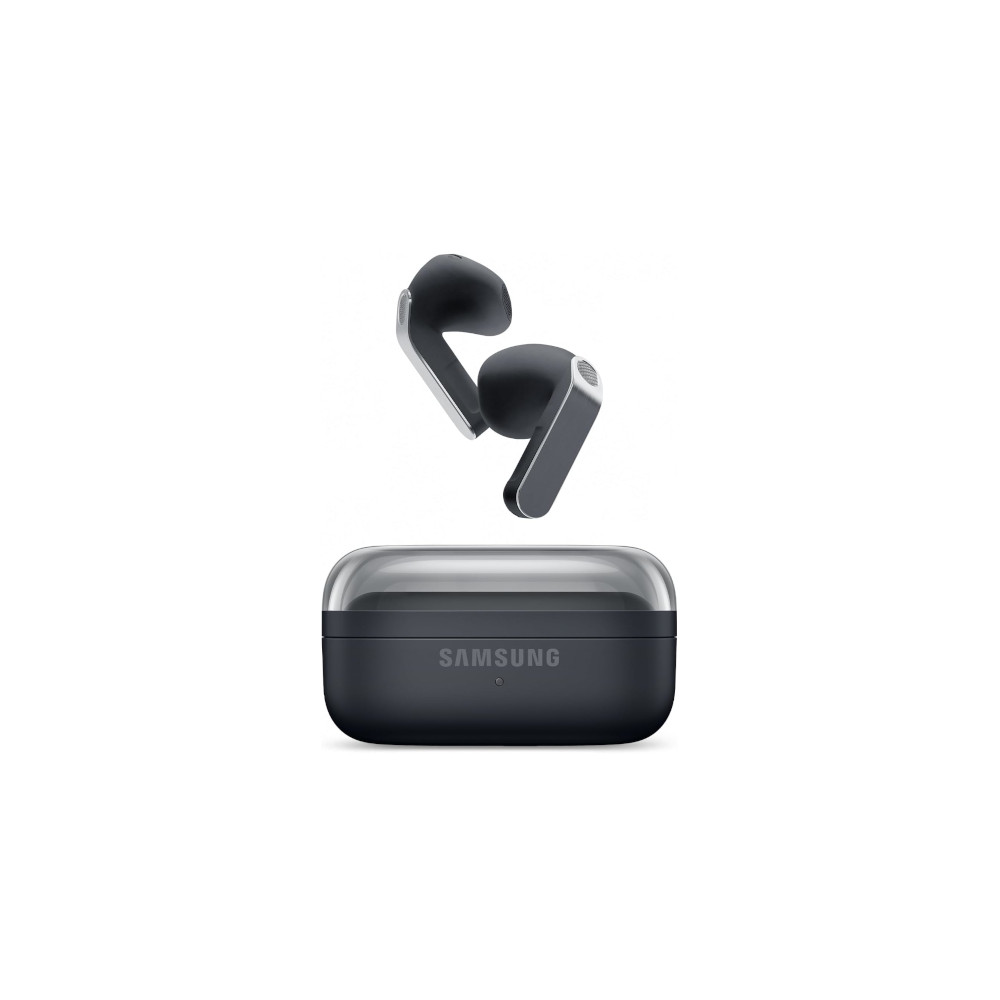
The Galaxy Buds 4 look and feel like a refinement of the Buds3 rather than a reinvention. The stem is the most noticeable change up close — it’s now flat-faced, with a brushed-metal surface and an engraved pinch zone, which I found easier to locate and operate than the triangular blade on the Buds3. Build quality feels solid, and the metal finish gives them a more premium look than their price suggests.
My favorite improvement is the case. Samsung has ditched the vertical cradle of the Buds3 in favor of a flat clamshell with a transparent lid. It’s much easier to open, drop the buds into, and clean. The tradeoff is that the transparent lid picks up fingerprints and scratches almost immediately, so you will want to handle it with care. There’s still no speaker in the case for Find My functionality, which can make it harder to locate by sound alone.
Comfort is where the Buds 4 will make or break for most people. These are unsealed earbuds with no ear tips, no fin, and no secondary anchor — just a stem sitting between your tragus and antitragus, relying on ear geometry to stay put. If AirPods fit you well, these probably will too. If they don’t, no amount of repositioning will fix that.

Personally, I prefer the improved isolation and sound quality that come with a good seal, but I get that some people don’t like earbuds that stick too far into their ears and prioritize comfort instead. I found the open fit was too unstable; within 20 minutes, skin oils and movement were enough to dislodge them, so I had to fiddle with them to keep them in place.
The Buds 4 have an IP rating of IP54, which covers sweat and splash resistance but is actually a step down from the Buds3’s IP57. That’s an unusual regression for a successor, and worth keeping in mind if you plan to use these at the gym, or in the rain, or near water.
Controls are handled via an engraved sensor on the front side of the stems, in typical AirPods fashion. You pinch to play, pause, skip, and toggle ANC, and swipe up or down to adjust volume. It works well enough once you get used to the pinch gesture, though, as with the Buds3, a firm pinch can sometimes shift the fit just enough to be annoying. There’s no tap control — everything runs through the pinch-and-swipe interface Samsung introduced with the Buds3.
What are the best features of the Samsung Galaxy Buds 4?
The Galaxy Buds 4 connect directly to the user interface on Samsung phones, and, if you aren’t on a Galaxy device, via Samsung’s Galaxy Wearable app. They have all the same features as their bigger brother, the Galaxy Buds 4 Pro, including adaptive noise control, 360 audio recording from the earbuds, Find My earbuds, as well as a handful of EQ presets and a custom 9-band equalizer. Advanced sound quality options, such as ultra-high-quality (UHQ) audio and super-wideband speech, are limited to Samsung devices.
Head gestures are new to the Buds 4 lineup, and they work much like Sony’s implementation on the WF-1000XM6 buds. A nod answers a call, a shake declines it, and the gestures extend to dismissing notifications and responding to prompts from an AI assistant. It can be a useful, hands-free way to control your phone without taking it out of your pocket.
Speaking of which, voice assistant support has also expanded. Alongside Bixby, the Buds 4 now support Google Gemini and Bixby powered by Perplexity as hotword-triggered assistants, letting you kick off queries without touching your phone.
How does the Samsung Galaxy Buds 4 connect?

The Galaxy Buds 4 connect via Bluetooth 6.1 with SBC and AAC. Samsung phone owners running One UI 4.0 or later can also unlock Samsung Seamless Codec, which delivers near-lossless audio quality alongside the rest of the Galaxy-exclusive feature set. The earbuds sadly don’t support true multipoint: if you want to switch between devices, you’ll need the Samsung Wear app installed on each one. However, there is Auracast support onboard, and I never ran into latency issues in day-to-day use when connected to a Samsung Galaxy phone.
If you don’t want to connect over Fast Pair/Swift Pair, you can pair the earbuds manually by using the pairing button on the bottom of the case.
- On your source device, open the Bluetooth menu and scan for new devices.
- Place the Samsung Galaxy Buds 4 in the case with the lid open and hold down the pairing button.
- Once the case’s LED lights start blinking, look for the Samsung Galaxy Buds 4 in the available devices screen.
- Tap the Samsung Galaxy Buds 4 option. The device should then pair.
How long do the Samsung Galaxy Buds 4’s battery last?
Samsung rates the Galaxy Buds 4 at 5 hours of playback with ANC enabled and 6 hours without, with a total of 24 hours from the case. In our standardized battery test, the earbuds lasted 4 hours and 56 minutes — just shy of Samsung’s claim, which is fairly typical, and exactly the same time we measured with the Galaxy Buds 3 before it. Nearly 5 hours of playback is a workable number for most daily use cases, such as commuting or a gym session. Where it may feel limiting is on longer trips, so if you’re a frequent flyer, you’ll want to keep the case close.
How well do the Samsung Galaxy Buds 4 cancel noise?
The Galaxy Buds 4’s noise cancelation runs into the same fundamental problem as the Buds3: ANC can only do so much without a seal. With no ear tips and no secondary anchor keeping the earbuds in place, passive isolation is essentially nonexistent, and the ANC has very little to work with as a result. There’s no hardware or algorithmic improvement to soften the blow here either.
Loading chart ...
In my testing, I wasn’t able to keep a stable fit, and the earbuds would easily shift around in place. As a result, the ANC would occasionally drop out entirely in one ear, as the ear detection sensor would register the earbud as no longer seated. But when I was able to maintain a good fit, the ANC is respectable for unsealed earbuds.
If noise cancelation is a priority, the Buds 4 Pro’s sealed design and Adaptive ANC 2.0 is the better option. You can also check out our list of the best noise canceling earbuds for more alternatives.
How do the Samsung Galaxy Buds 4 sound?
As with ANC performance, getting a good fit will make or break how good these earbuds sound. Thankfully, when the fit is good, they sound pretty good.
Reviewer’s notes

Editor’s note: this review uses a hover-enabled glossary to describe sound quality based on a consensus vocabulary. You can read about it here.
Can you use the Samsung Galaxy Buds 4 for phone calls?
Yes, the Samsung Galaxy Buds 4 can be used for just about any call application. If you’d like to hear what the microphones are capable of, take a listen below.
Samsung Galaxy Buds 4 microphone demo (Ideal conditions):
How does the microphone sound to you?
Samsung Galaxy Buds 4 microphone demo (Office conditions):
Samsung Galaxy Buds 4 microphone demo (Street conditions):
Samsung Galaxy Buds 4 microphone demo (Windy conditions):
Samsung Galaxy Buds 4 microphone demo (Reverberant space):
Noise rejection across the board is very impressive. In my listening, outside noise rarely overpowered my speech. Voices come through clearly even in noisier environments, and the Super-Wideband support contributes to a more natural call quality when conditions allow.
Should you buy the Samsung Galaxy Buds 4?

The Galaxy Buds 4 are a modest refinement of the Buds3 — better stem, better case, improved call quality, and more Galaxy AI features — but the core problem hasn’t changed. The unsealed design means fit is unreliable for many people, and without a stable fit, both sound quality and ANC suffer in ways that are hard to overlook at $179. The IP rating has also dropped from IP57 to IP54, which is a strange regression for a successor at the same price.
If you’re committed to an unsealed format and you’re in the Samsung ecosystem, the Buds 4 are the best version of this product yet. But if you can stretch to $249, the Buds 4 Pro’s sealed design, better ANC, and improved audio hardware make a stronger case for the money. And if history repeats, the Buds 4 FE will eventually offer sealed ear tips and the key features at a lower price, making it the smarter wait for most people.
Samsung Galaxy Buds 4 price history
What should you get instead of the Samsung Galaxy Buds 4?
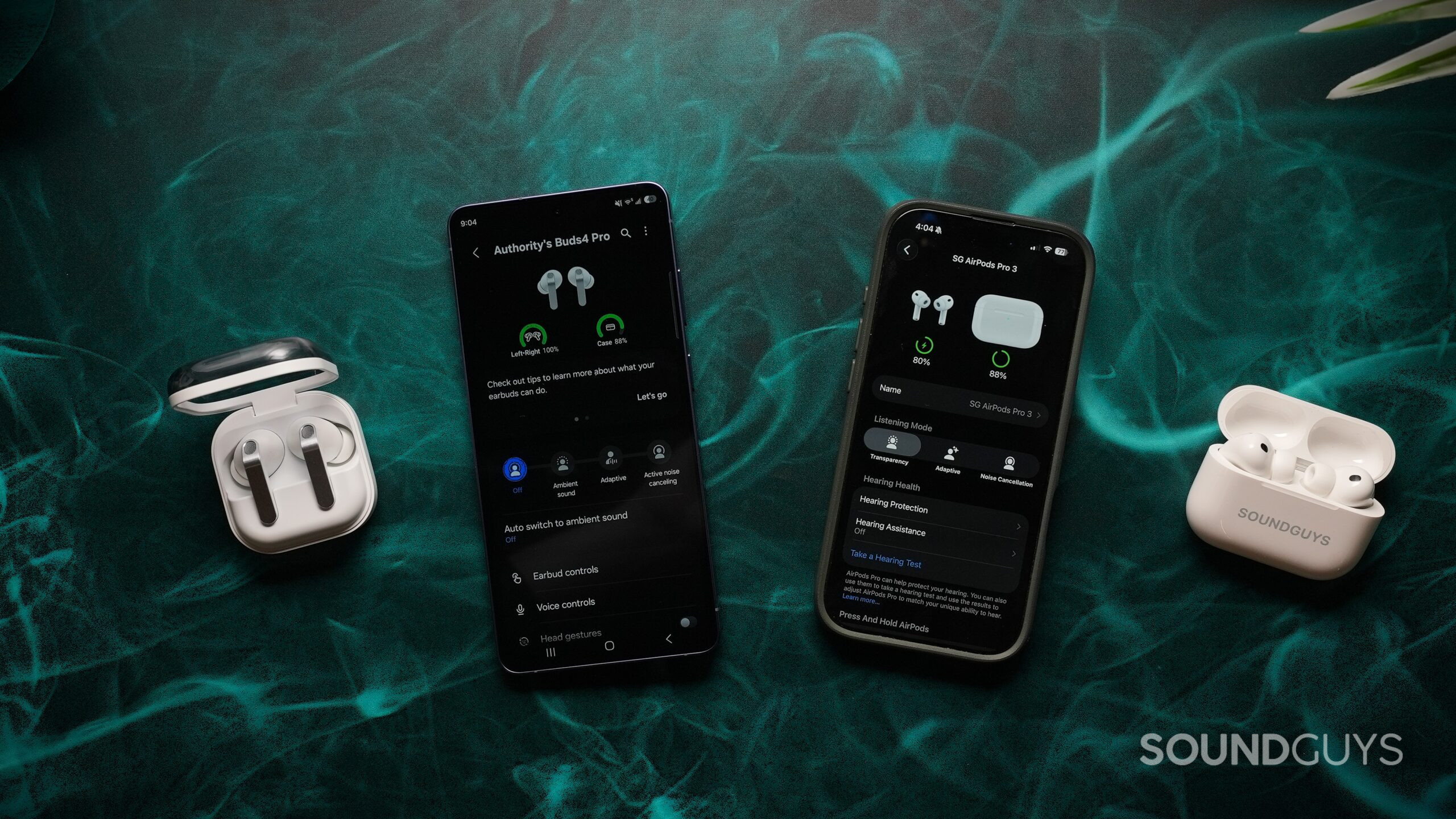
If you’re looking for a direct alternative at the same price, the Apple AirPods 4 ($179.99 at Amazon) are the obvious comparison. They share the same unsealed philosophy and come in two versions —one with ANC and one without ANC for less ($129 at Amazon). Like the Buds4, the best features are ecosystem-exclusive, so you’ll get the most out of them on an iPhone.
If the fit issue is the dealbreaker, the Galaxy Buds3 FE ($149.99 at Amazon) is worth considering. It brings back sealed ear tips, delivers more consistent sound and ANC performance, and costs less. For most people, that’s the smarter buy at the lower end of the price range.
And if you can stretch the budget, the Galaxy Buds4 Pro ($249.99 at Amazon) is simply the more complete earbuds with a sealed fit, better ANC, and improved drivers.
Samsung Galaxy Buds 4 review: FAQs
The Galaxy Buds4 have an IP54 rating, meaning they're resistant to sweat and splashes.
The Buds4 will connect to any device over Bluetooth, but most of the best features — Samsung Seamless Codec, Galaxy AI, multipoint switching — require a Samsung phone running One UI 4.0 or later.
Yes, the case supports wireless charging as well as USB-C.
Yes, either earbud can be used on its own.
No, the Buds4 support SBC, AAC, and Samsung Seamless Codec only.
Thank you for being part of our community. Read our Comment Policy before posting.